
Your job search deserves more than a spreadsheet
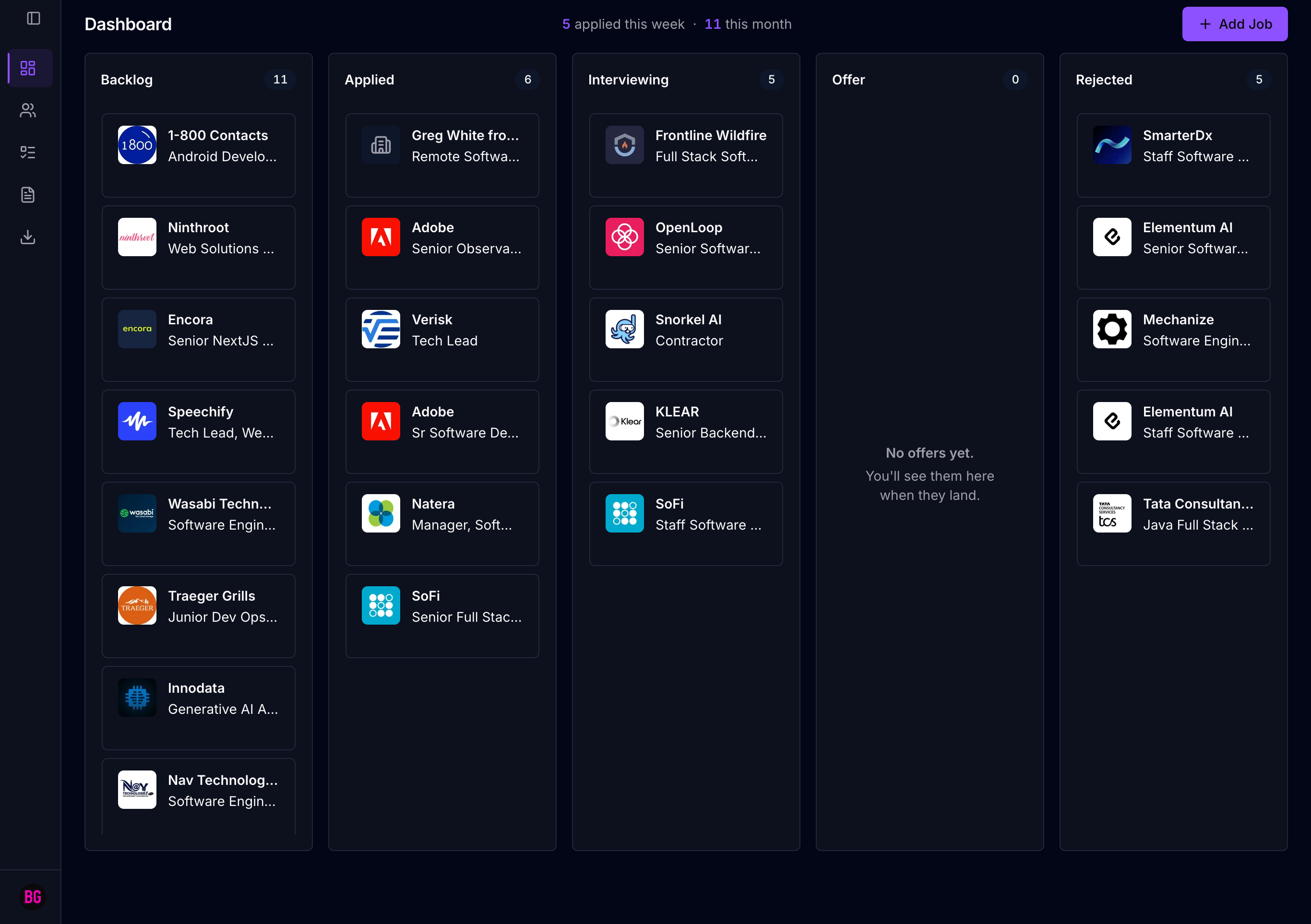
Capture jobs as you browse with the Chrome extension. Track them on a kanban. Keep notes and contacts attached to each job, not scattered across tabs.
Get Started →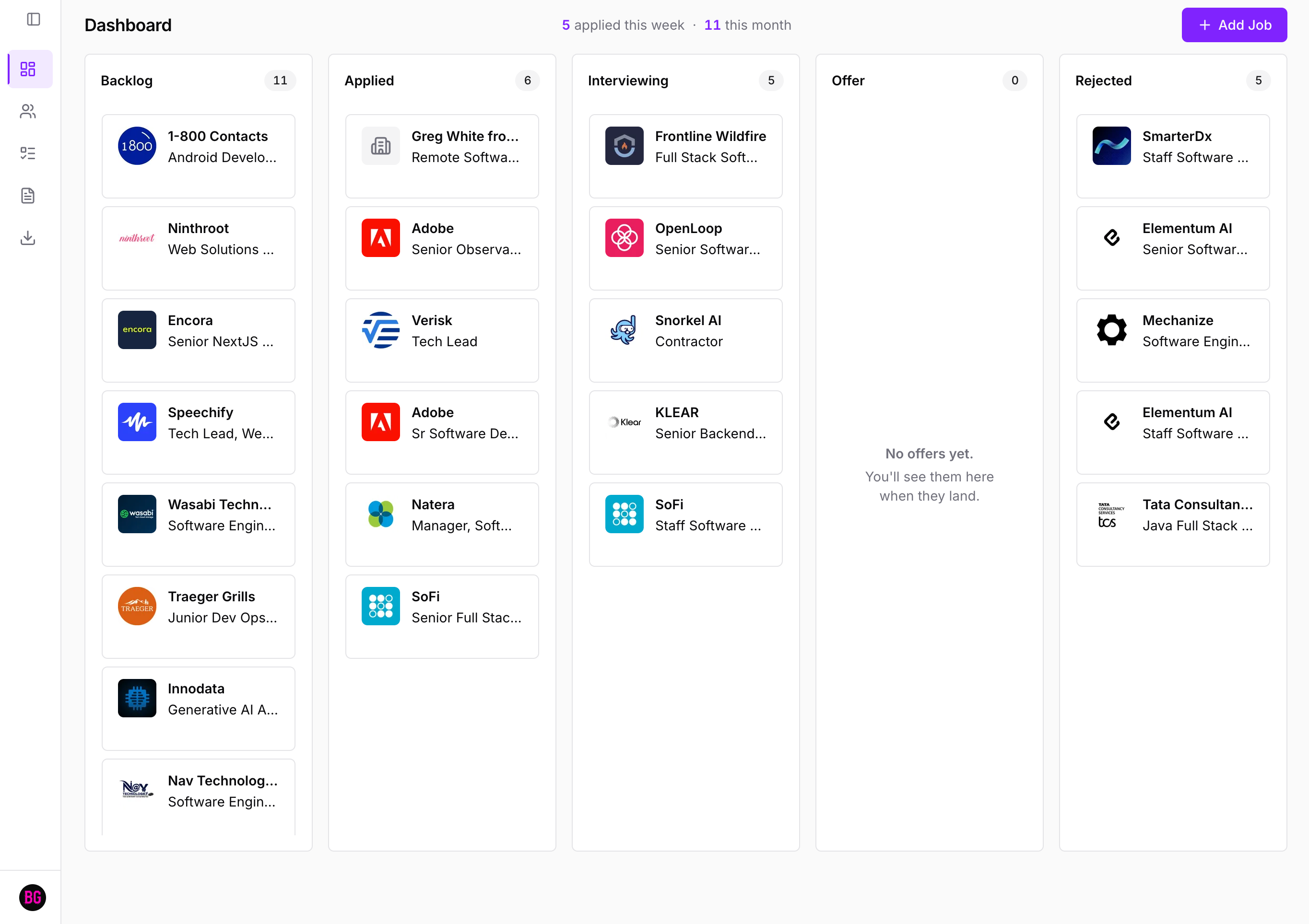
How It Works
Three steps. That's the whole product.
01
Capture from any job board
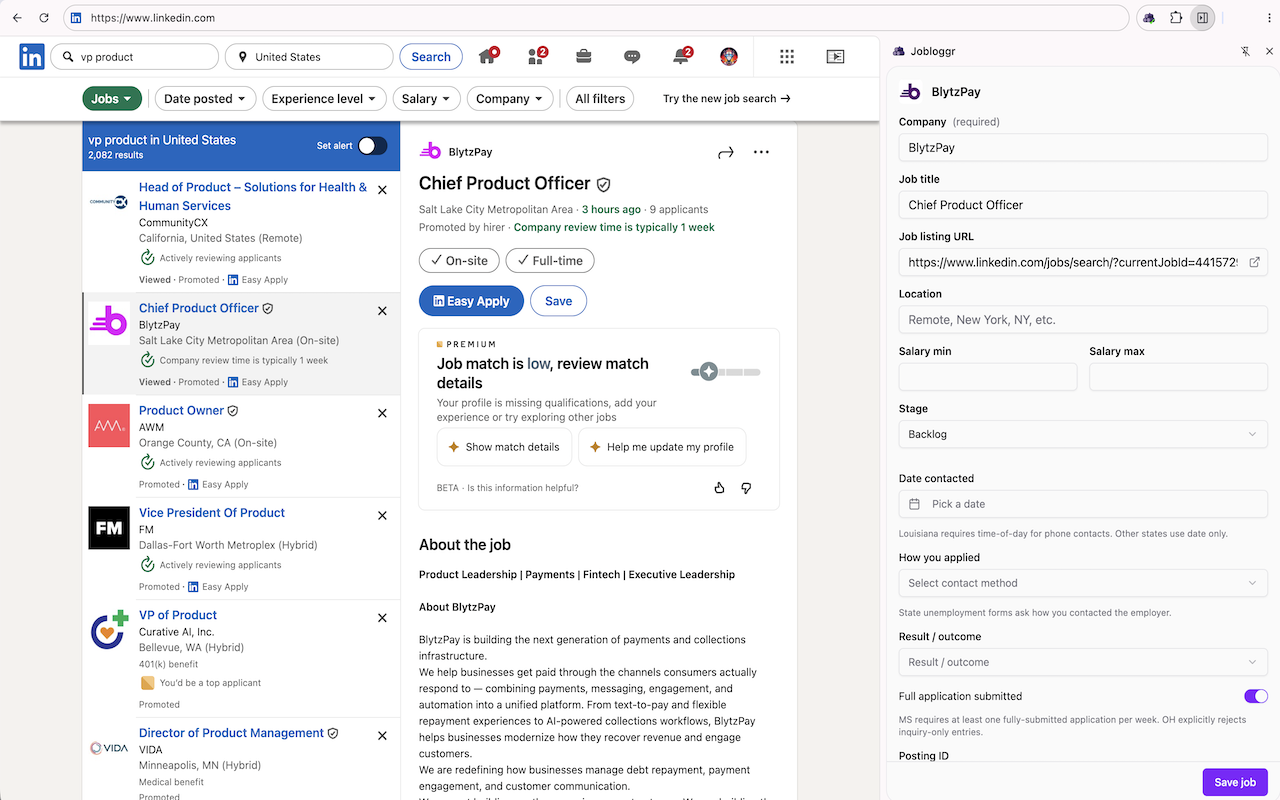
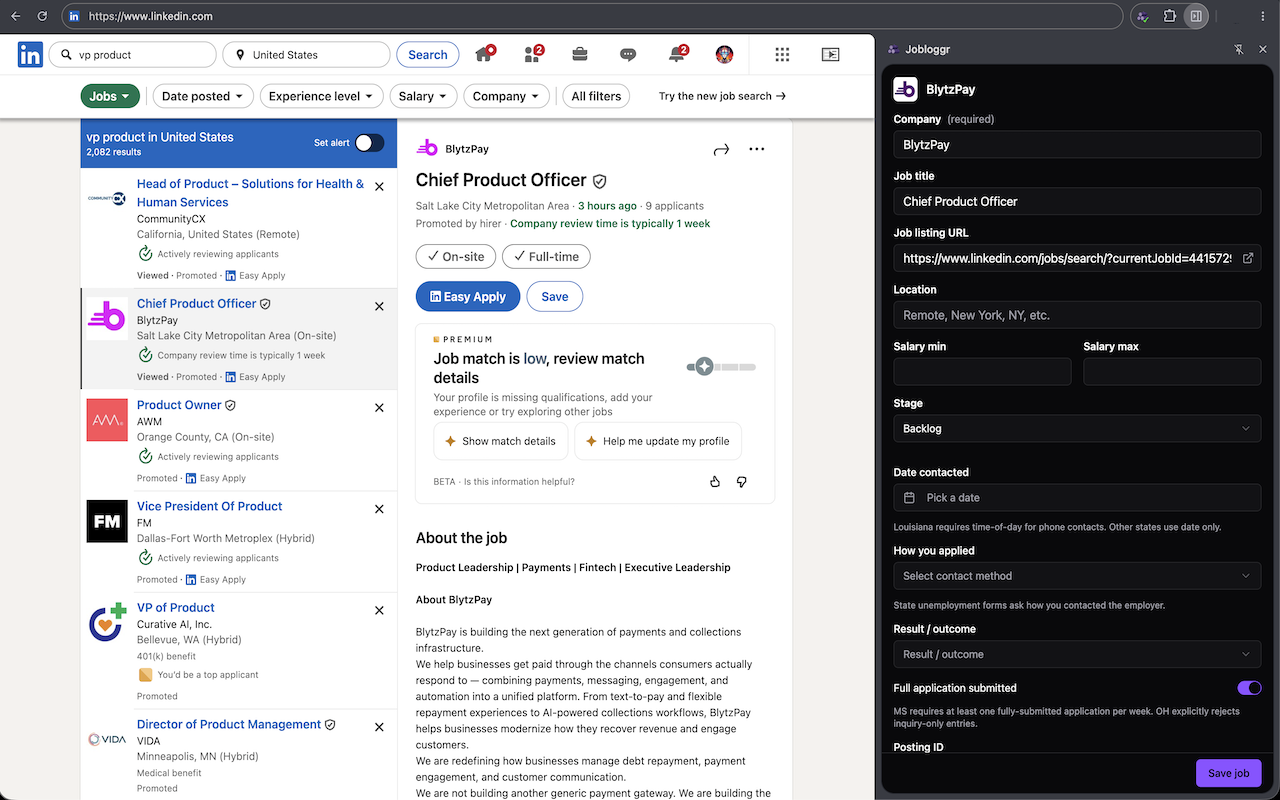
Install the Chrome extension. While you browse, click Save on any listing — Jobloggr captures the details and adds them to your backlog.
02
Track on your kanban
Every saved job lands in your Backlog. Drag cards across stages as you apply, interview, and hear back. Add notes and contacts along the way.
03
Export when you need to
Download a CSV of your complete job history for unemployment filings, end-of-search reviews, or whatever comes next.
Unemployment
Track your job search. Generate the records your unemployment office needs.
From your first application to your weekly certification, Jobloggr keeps the receipts. Pro generates the export your state can accept.

Chrome Extension
Capture jobs without leaving the page.
The Jobloggr extension sits in your browser toolbar. One click saves any listing directly to your pipeline — title, company, and URL pre-filled.
- One-click capture.
- See a listing you like? Click the Jobloggr icon and it lands in your backlog instantly — no copy-pasting, no tab-switching.
- Works across major job boards.
- LinkedIn, Indeed, Greenhouse, Lever, Workday — the extension reads title, company, and URL from the page so you never have to.
- Export-ready from day one.
- Every captured job is formatted for one-click CSV export to your state unemployment weekly work-search log.
Pricing
Pricing built for job seekers
Free to start. Upgrade for unlimited tracking, state unemployment exports, and priority support — or pay once for lifetime access.
Free
Everything you need to track your search.
- 10 active jobs
- Kanban board
- Chrome extension capture
- Contacts & notes per job
- CSV export
Pro
Most popularFor active job seekers and unemployment filers.
billed $25 every 3 months
- Unlimited active jobs
- State-specific unemployment exports
- Multi-year archive on demand
- PDF weekly snapshots
- Multi-week export bundles
- Priority email support
Lifetime Pass
Pay once, own forever.
- Everything in Pro
- One payment, forever
- All future Pro features
- Priority email support
FAQ
Questions, answered.
Stop juggling tabs. Start tracking.
Jobloggr keeps the pipeline straight. You focus on landing the job.
Get Started →